
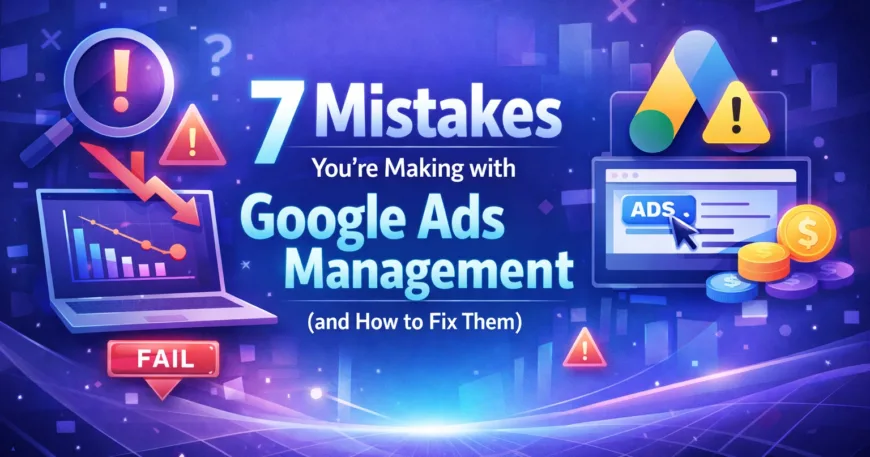
You’re spending money on Google Ads. But are you wasting it?
Here’s the hard truth : most businesses are. Not because they lack ambition or budget, but because they’re making avoidable mistakes that sabotage campaign performance before the first click even happens. In 2026, Google Ads management isn’t just about setting a budget and hoping for the best. It’s about precision, strategy, and knowing what not to do.
The landscape has shifted. AI automation is powerful, but it’s not a magic wand. Conversion tracking is more complex. And if you’re not targeting at the hyperlocal level, you’re leaving money on the table.
Let’s break down the seven most common mistakes businesses make with their Google Ads campaigns : and how to fix them before they cost you another dollar.
🎯 Mistake #1: Tracking the Wrong Conversion Actions
You think you’re tracking conversions. You’re not.
The most common error? Tracking intermediate actions instead of actual business outcomes. Businesses often track “submit button clicks” instead of completed form submissions. Or they count “thank you page views” without verifying that a purchase actually went through.
Why this matters: Your campaigns optimize toward these fake signals. Google’s algorithm thinks it’s doing a great job driving conversions, but you’re getting clicks that never turn into revenue.

The Fix:
Track genuine completion events. If someone fills out a lead form, don’t track the button click : track the server-side confirmation that the lead was captured. If someone makes a purchase, track the order confirmation, not the checkout page view.
Verify that all forms are on the same domain. Use Google Tag Manager to implement proper event tracking. And regularly audit your conversion data to ensure accuracy.
Bottom line: If your conversion tracking is broken, your entire campaign is built on quicksand.
💰 Mistake #2: Using Outdated Bid Strategies
Manual CPC bidding in 2026? That’s like showing up to a Formula 1 race on a bicycle.
Too many accounts still use Maximize Clicks or manual bidding strategies when they have conversion data sitting right there, ready to be used. The result? Higher costs, lower conversion rates, and campaigns that never reach their potential.
The Fix:
Switch to conversion-based bidding strategies like Maximize Conversions or Target CPA. These strategies use Google’s machine learning to optimize bids in real-time based on the likelihood of conversion.
Already using automated bidding? Test adjusting your ROAS target by 10-20%. Sometimes loosening the reins slightly can unlock significantly more volume while maintaining profitability.
For Google Ad Grant nonprofit accounts stuck at $2.00 bids : automated bidding removes that cap and can dramatically improve performance.
🚫 Mistake #3: Ignoring Negative Keywords
Every irrelevant click is money down the drain.
Many accounts either use no negative keywords at all, or apply them incorrectly. The consequence? Your ads show up for searches like “free Google Ads tutorial” or “Google Ads jobs” when you’re trying to sell Google Ads management services.
The Fix:
Build a comprehensive negative keyword list from day one. Start with these categories:
: Irrelevant intent: “free,” “tutorial,” “DIY,” “how to,” “jobs,” “careers,” “salary”
: Competitor brands: Exclude competitor names unless you’re specifically targeting them
: Wrong product/service: If you sell B2B services, exclude B2C terms
: Offensive or inappropriate language
Use broad match negatives for volume filtering and exact match negatives for surgical precision. Review your search terms report weekly and add new negatives as you discover irrelevant queries.
At Krita TechnoSolutions, we maintain living negative keyword lists that evolve with campaign performance : it’s one of the first things we audit in underperforming accounts.

🔍 Mistake #4: Leaving Search Partners and Display Partners Enabled
Google automatically opts you into showing ads across Search Partners and the Display Network. Sounds helpful, right?
Wrong. These networks often deliver low-quality traffic at inflated costs. Your ads appear on millions of third-party websites with zero quality control, generating clicks that rarely convert.
The Fix:
Go into your campaign settings and manually disable both Search Partners and Display Partners. Restrict your ads to Google-owned properties only : Google Search, Google Maps, Google Shopping, and YouTube (if you specifically want video placement).
This single change can reduce wasted spend by 20-30% in many accounts while improving your overall conversion rate.
📊 Mistake #5: Over-Segmenting Your Campaign Structure
More campaigns doesn’t mean better performance. It usually means worse.
Many businesses split campaigns arbitrarily : by product type, by location, by time of day : without considering whether the algorithm has enough data to optimize effectively. When you spread your budget and data too thin, Smart Bidding can’t learn patterns or make intelligent bid adjustments.
The Fix:
Build campaigns around coherent strategy and user intent, not arbitrary structures. Each campaign should have enough volume for the algorithm to gather meaningful data : aim for at least 30-50 conversions per month per campaign.
If you’re running hyperlocal advertising campaigns, don’t create separate campaigns for every neighborhood. Instead, use geo bid adjustments within a single well-structured campaign to prioritize high-performing areas.
Consolidation beats fragmentation every time.

🛠️ Mistake #6: Running Campaigns with Faulty Feed Data
For eCommerce businesses, this is the silent killer.
If your product feed has errors : miscategorized products, incorrect pricing, broken image links, wrong availability status : your entire campaign infrastructure collapses. Products get underfunded or overfunded. High-margin items never show. Budget gets wasted on out-of-stock products.
The Fix:
Audit your product feed before launching campaigns. Verify that:
: Products are correctly categorized in your data source (Shopify, WooCommerce, etc.)
: Pricing and availability are accurate and update in real-time
: Images meet Google’s specifications
: Product titles and descriptions are optimized for search
Use automated feed management tools to catch errors before they reach Google. Schedule weekly feed audits to identify and fix issues proactively.
Clean data = profitable campaigns. There’s no shortcut.
🌐 Mistake #7: Mishandling Geo-Targeting and Audience Targeting
You’re showing ads to people who can’t buy from you. Or worse : you’re not showing ads to people who desperately want what you’re selling.
The most common geo-targeting error? Using “Presence or Interest” instead of “Presence” only. This means your ads show to people who are interested in your target location but physically located elsewhere : tourists researching from abroad, for example, who may never actually visit or buy.
On the audience side, businesses either ignore advanced targeting options entirely or layer them incorrectly, reducing reach to zero or exploding costs through improper exclusions.

The Fix for Geo-Targeting:
Use “Presence” targeting to show ads only to people physically in your target location. Exclude areas where you cannot deliver products or services.
For hyperlocal advertising : targeting specific neighborhoods, zip codes, or even radius targeting around your physical location : combine precise geo-targeting with location-based ad copy and offers. Someone searching “digital marketing agency near me” from 2 miles away is infinitely more valuable than someone browsing from across the country.
The Fix for Audience Targeting:
Leverage Google’s advanced audience features:
: Custom Audiences: Target users based on specific search terms, URLs they’ve visited, or apps they use
: In-Market Audiences: Reach people actively researching products or services like yours
: Customer Match: Upload your CRM data to target existing customers or lookalike audiences
: Account-Based Marketing (ABM): For B2B, target specific companies by uploading company domain lists
Don’t just “set it and forget it.” Review audience performance monthly and refine based on actual conversion data.
🚀 The Human Element in an AI-Driven World
Here’s what separates good Google Ads management from exceptional results in 2026: human oversight combined with AI automation.
Google’s algorithms are powerful. They process billions of signals every second. But they don’t understand your business strategy, your profit margins, or your competitive positioning. They optimize for the signals you give them : which is why mistakes #1-7 are so devastating.
At Krita TechnoSolutions, we don’t just set up campaigns and let AI run wild. We combine data-driven automation with strategic human management. We audit conversion tracking. We refine negative keyword lists. We structure campaigns for optimal learning. We fix feed errors before they cost you money.
We’re a digital marketing agency that treats your ad budget like our own : because sustainable performance requires both technology and expertise.
📞 Ready to Fix Your Google Ads Campaigns?
Stop wasting money on mistakes you didn’t even know you were making.
Whether you’re running local campaigns that need hyperlocal advertising precision, eCommerce campaigns drowning in feed errors, or lead generation campaigns with broken conversion tracking : we can help.
👉 Book a free Google Ads audit with Krita TechnoSolutions.
We’ll analyze your current campaigns, identify exactly what’s holding you back, and show you the path to better performance and lower costs.
🌐 Visit us: https://kritademo.kritatechnosolutions.com/expert-google-ads-management-services
📞 Call us: +91 70103 13880
📧 Or reach out directly: https://kritademo.kritatechnosolutions.com/contact-us
Your competitors are already fixing these mistakes. Don’t let them win your customers because you waited too long.
💬 Leave A Comment
Have questions about your Google Ads campaigns? Drop a comment below or reach out ( we’re here to help you win in 2026.)